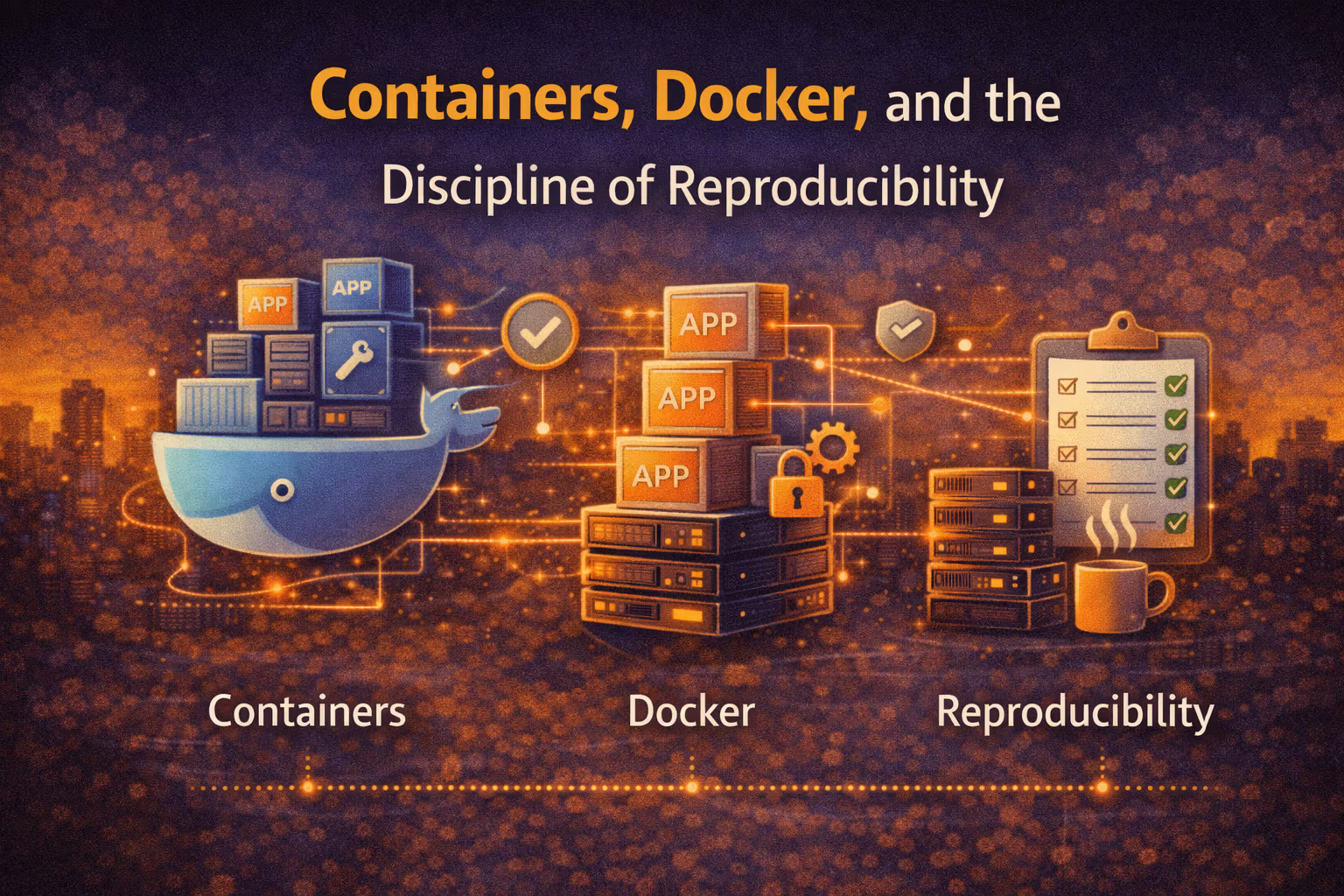
Containers, Docker, and the Discipline of Reproducibility
Containers aren’t “how you deploy apps” — they’re how you make environments stop being a variable. This is the operational discipline: immutable artifacts, repeatable builds, and runtime contracts you can actually rely on.

Axel Domingues
If you’ve ever heard:
- “Works on my machine.”
- “It passed CI, why is prod different?”
- “We deployed the same version… but it behaves differently.”
…then you’ve met the real reason containers won.
Not because “Docker is cool.”
Because reproducibility is architecture — and containers are the first mainstream tool that makes it cheap to treat your runtime as a contract.
- what a container is
- what Docker is and isn’t
- how to build and ship artifacts that behave consistently
- and what operational discipline you need so containers don’t just become “VMs but weirder”
The goal this month
Replace “environment drift” with an immutable artifact you can promote safely.
The mindset shift
Containers are a contract: build once, run anywhere… as the same thing.
What breaks teams
Treating Docker as “packaging” instead of a reproducible supply chain.
What good looks like
The same image behaves the same in dev/CI/stage/prod — and rollbacks are boring.
Containers in One Sentence
A container is:
a normal OS process, isolated by the kernel, running from an immutable filesystem snapshot, with declared metadata about how it should run.
That’s it.
No magic.
And that definition matters, because it kills two common misconceptions:
- containers are not miniature VMs (no guest kernel)
- Docker is not the concept (it’s tooling around it)
- Image: an immutable filesystem snapshot + metadata (what you build, store, and promote).
- Container: a running instance of an image (what executes on a machine).
- Registry: a content store for images (the artifact repository for runtime).
- Runtime: the component that runs containers (e.g., containerd).
- Orchestrator: the system that schedules/repairs/routs to containers (e.g., Kubernetes).
- OCI: the open specification that makes containers portable across runtimes.
Why “Reproducibility” Is the Real Value
Before containers, “deployment” often meant reconstructing an environment:
- install OS packages
- install language runtime
- install dependencies
- configure services
- hope nothing changes
That creates three failure modes you can’t outsmart with process alone:
- Snowflakes: every environment is “mostly the same”
- Drift: environments diverge silently over time
- Heisenbugs: bugs that appear only under a specific combination of versions
Containers flip the model:
- you build an artifact once
- you promote it through environments
- you don’t “recreate prod”; you run the same thing
You’re just wearing Docker as a skin.
The Artifact Pipeline: Build Once, Promote Many
Your architecture is only as reproducible as the path from source code → running process.
Here’s the mental model I want teams to internalize:
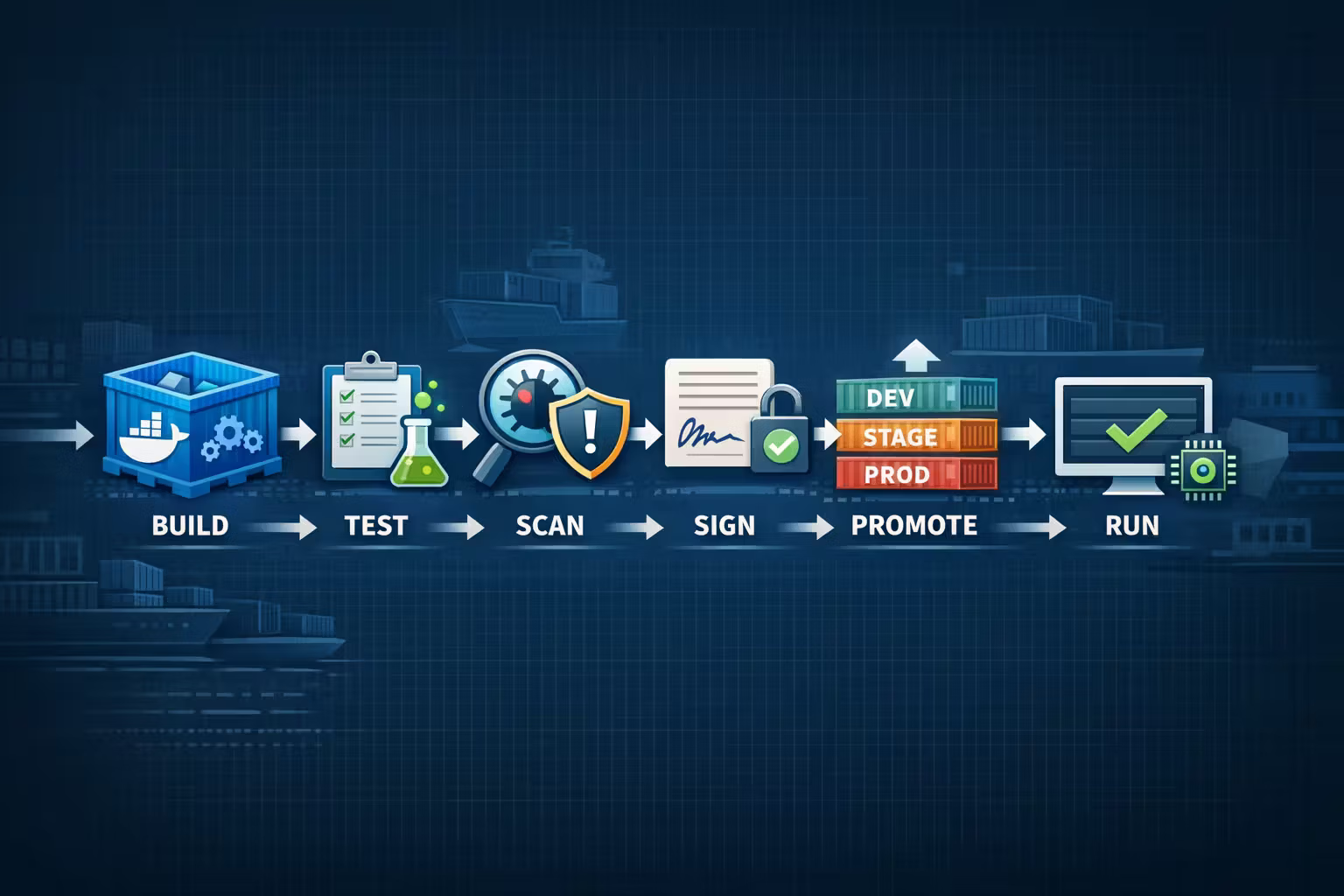
- Build a deterministic image from a pinned recipe
- Test the exact artifact you will deploy
- Scan it (dependencies, OS packages, vulnerabilities)
- Sign it (prove provenance)
- Promote it (dev → stage → prod)
- Run it with explicit runtime config
Everything else is details.
You’re deploying two different artifacts.
Docker Is a UX Layer Over a Deeper Stack
Docker made containers popular by bundling a usable developer experience:
- Dockerfile builds
- image format + layers
- local daemon + tooling
- registry workflows
But in mature systems, Docker often becomes one part of a bigger stack:
- Build: BuildKit / Kaniko / build systems
- Registry: artifact storage + access control
- Runtime: containerd / CRI-O
- Orchestration: Kubernetes / Nomad / ECS
- Policy: admission controls, signing, scanning
You don’t need to memorize those tools.
You need to understand the boundary:
Docker is a toolchain. The container ecosystem is a standard.
That’s why OCI matters: it lets you swap tools without rewriting the world.
Dockerfiles Are Build Scripts: Treat Them Like Code
The Dockerfile is your artifact recipe.
If you treat it casually, you get a fragile supply chain.
If you treat it like a build system, you get predictable deployments.
The four most common “it worked until it didn’t” mistakes
Unpinned base images
FROM node:latest is a time bomb. Pin versions (and ideally digests) so builds don’t drift.
Non-deterministic installs
Unpinned OS packages and floating language deps make the same build produce different results over time.
Giant images
Bigger images ship slower, cache worse, and expand the security surface area.
Secrets in layers
If a secret enters a layer, it may live forever in history. Use build secrets, not ARG hacks.
Runtime Reality: Containers Don’t Remove Operations
Containers reduce environment variance.
They do not remove operational concerns:
- CPU and memory are still finite
- noisy neighbors still exist
- networks still fail
- disks still fill
- clocks still drift
- dependencies still break
Containers just make those failures easier to reason about because the runtime is more consistent.
What the kernel gives you (and what it doesn’t)
- Namespaces isolate process view (PID, network, filesystem mounts)
- cgroups constrain resource usage (CPU, memory, IO)
- Capabilities split “root” into finer permissions
- Seccomp/AppArmor/SELinux enforce syscall and policy constraints
The takeaway:
containers aren’t “security” by default — they’re a mechanism you can harden.
The 12-Factor Core Still Matters (Even in 2022)
Containers are great at packaging code.
They’re terrible at packaging configuration that changes per environment.
A container-friendly app typically follows these principles:
- config via environment (or a config service)
- logs to stdout/stderr (the platform aggregates)
- stateless processes (state goes to managed stores)
- fast startup and graceful shutdown
- explicit health checks
- Treat containers as disposable.
- Fix by deploying a new artifact.
Debugging Containers Without Breaking the Model
You will debug production issues.
The trick is: debug without turning prod into a mutable snowflake again.
Reproduce from the artifact
Pull the exact image digest that ran in production and run it locally with the same env vars.
Inspect metadata first
Check:
- image tag + digest
- entrypoint/cmd
- env vars
- ports
- mounts
Debug with read-only tools
Prefer:
- logs
- metrics
- traces
- ephemeral debug containers (when supported by your platform)
Fix by rebuilding and promoting
If the fix isn’t in source + Dockerfile, it doesn’t exist.
Security: The Container Supply Chain Is Now Your Attack Surface
If you ship containers, you own a software supply chain whether you admit it or not.
You want three properties:
- Minimal surface area (small images, fewer packages)
- Known provenance (you can prove what built it)
- Controlled runtime (least privilege, no surprise egress)
Practical defaults that pay off immediately
- Use multi-stage builds (build tools don’t ship to prod)
- Pin base images and dependencies
- Use
.dockerignoreaggressively - Prefer distroless/minimal bases when practical
- Generate an SBOM and store it alongside the artifact
- Run as non-root by default
- Drop Linux capabilities you don’t need
- Read-only filesystem when possible
- Restrict outbound network access (egress policies)
- Separate secrets from images (secret manager, runtime injection)
The Two Checklists I Want You to Steal
1) “Can we ship this container?” checklist
Container readiness checklist
- Image is built once and promoted (no environment rebuilds)
- Base image + deps are pinned (versions/digests)
- App runs as non-root (or explicitly justified)
- Config is externalized (env/config service), not baked into image
- Health checks exist (liveness/readiness where relevant)
- Startup/shutdown are explicit (signals handled, graceful exit)
- Logs go to stdout/stderr (no hidden log files)
- SBOM + vulnerability scan are part of the pipeline
- Rollback means redeploying a previous digest, not “fixing in place”
2) Dockerfile hygiene checklist
Dockerfile hygiene checklist
FROMis pinned (no floating tags)- Multi-stage builds used for compiled assets and deps
- Layers are cache-friendly (copy lockfiles before source)
- No secrets in layers (
ARG/ENVmisuse avoided) - Minimal final image (only runtime needs ship)
- Explicit user (
USER app) and explicit ports/entrypoint .dockerignoreprevents leaking local junk into builds
Resources
Docker Docs (images, Dockerfile, build best practices)
The canonical reference — especially the sections on image builds and Dockerfile best practices.
OCI Image Specification
What an “image” actually is: layers, manifests, config — the portable standard under Docker and friends.
FAQ
No. Containers share the host kernel.
That’s why they start fast and why kernel-level isolation and policy matter so much. The “VM-like” part is the filesystem snapshot (the image), not a guest OS.
Sometimes, but not reflexively.
Small images are good, but compatibility and security practices matter more than winning a size contest. Pick a base you can patch, scan, and operate reliably — and keep the final image minimal with multi-stage builds.
Build once, promote by digest.
Tags are human-friendly; digests are truth. If you promote artifacts by digest, you eliminate an entire class of “we deployed the same version” lies.
No.
They make the runtime consistent, which makes safety possible. Rollout safety still comes from:
- tests running against the artifact
- controlled rollouts (canary/blue-green)
- fast rollback
- observability Those are CI/CD and operations disciplines — and that’s where this series goes next.
What’s Next
Now that we can ship an immutable artifact, the next question is:
How do we turn deployments into a repeatable, low-risk machine?
In February:
CI/CD as Architecture
Because in real systems, delivery is part of the architecture — and it’s the difference between “we can deploy” and “we can deploy safely.”
CI/CD as Architecture: Testing Pyramids, Pipelines, and Rollout Safety
CI/CD isn’t a DevOps checkbox — it’s the architecture that makes change safe. This month is about test economics, pipeline design, and rollout strategies that turn “deploy” into a reversible decision.
Microservices vs Modular Monolith: The “When” and the “How”
Microservices aren’t a flex — they’re a tax. Modular monoliths aren’t “temporary” — they’re often the best architecture. Here’s the decision framework, the failure modes, and the migration path that doesn’t create a distributed mess.