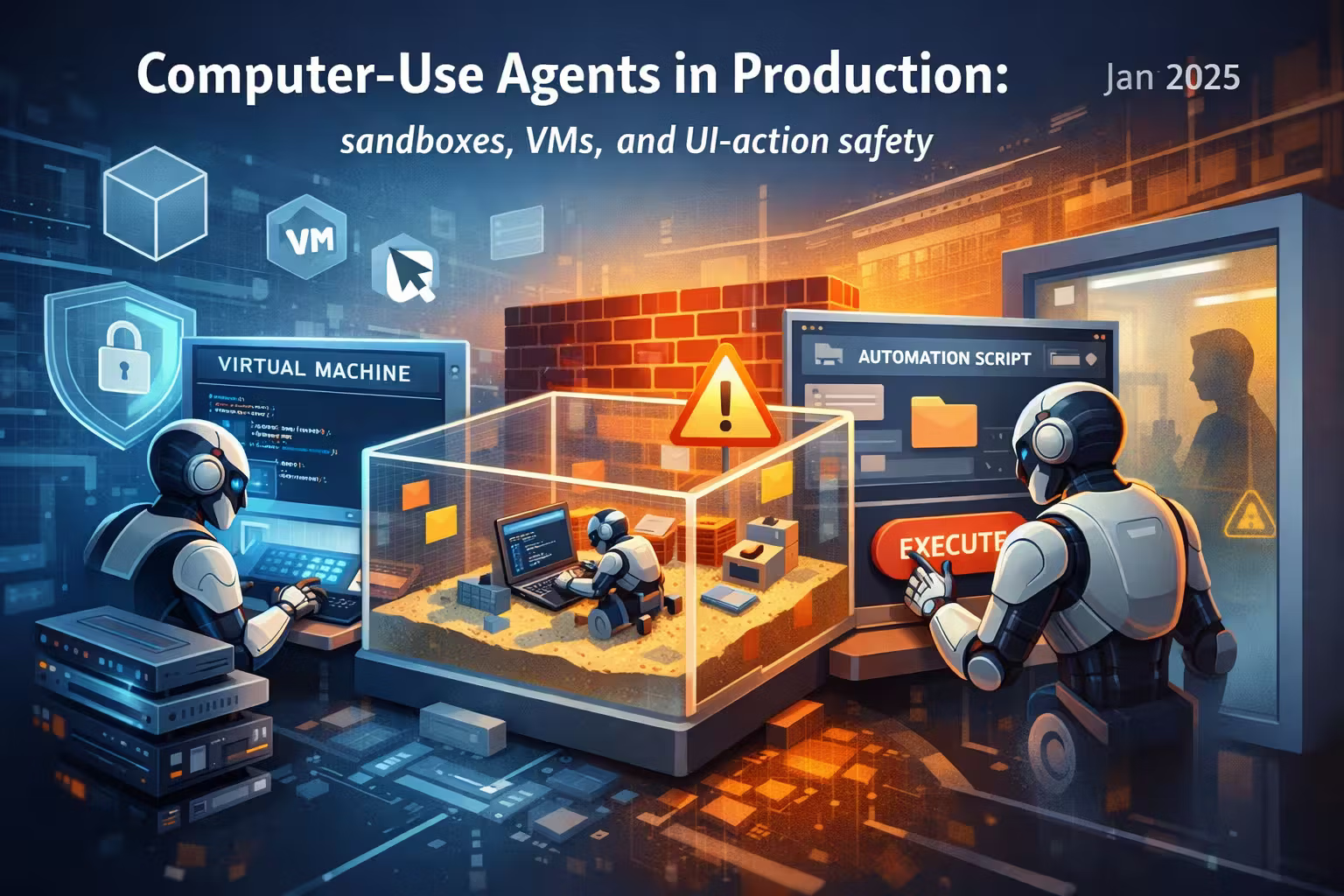
Computer-Use Agents in Production: sandboxes, VMs, and UI-action safety
Tool use was the warm-up. Computer-use agents can click, type, and navigate real UIs — which means mistakes become side effects. This article turns “agent can drive a screen” into an architecture you can defend: isolation, action gating, verification, and auditability.

Axel Domingues
Tool use taught us an important lesson:
LLMs are great at choosing actions — and terrible at guaranteeing outcomes.
In 2024, “tool use” mostly meant calling APIs:
- create a ticket
- run a query
- fetch a document
- send an email
In January 2025, the frontier shifts again:
agents that operate computers.
They don’t call your API.
They click your UI.
They type into forms.
They download files.
They open tabs.
And when they fail… they fail with side effects.
If you can replay it like a screen recording, it’s in scope.
Why computer-use changes the threat model
An API tool is structured.
A UI is unstructured, full of untrusted text and hidden traps:
- prompt injection embedded in page content
- buttons that look harmless but are destructive (“Delete”, “Transfer”, “Approve”)
- dark patterns, modals, overlays
- timing issues and inconsistent state
- ambiguous success feedback (“Saved!” … or did it?)
If you treat UI actions like “just another tool”, you’ll ship a system that is:
- hard to secure
- hard to debug
- hard to audit
- impossible to reason about under failure
The core risk
UI actions cause irreversible side effects.
The core constraint
The UI is untrusted input (including what the agent reads).
The core design move
Put a sandbox + policy firewall between the model and the screen.
The core success metric
You can replay and explain every action that happened.
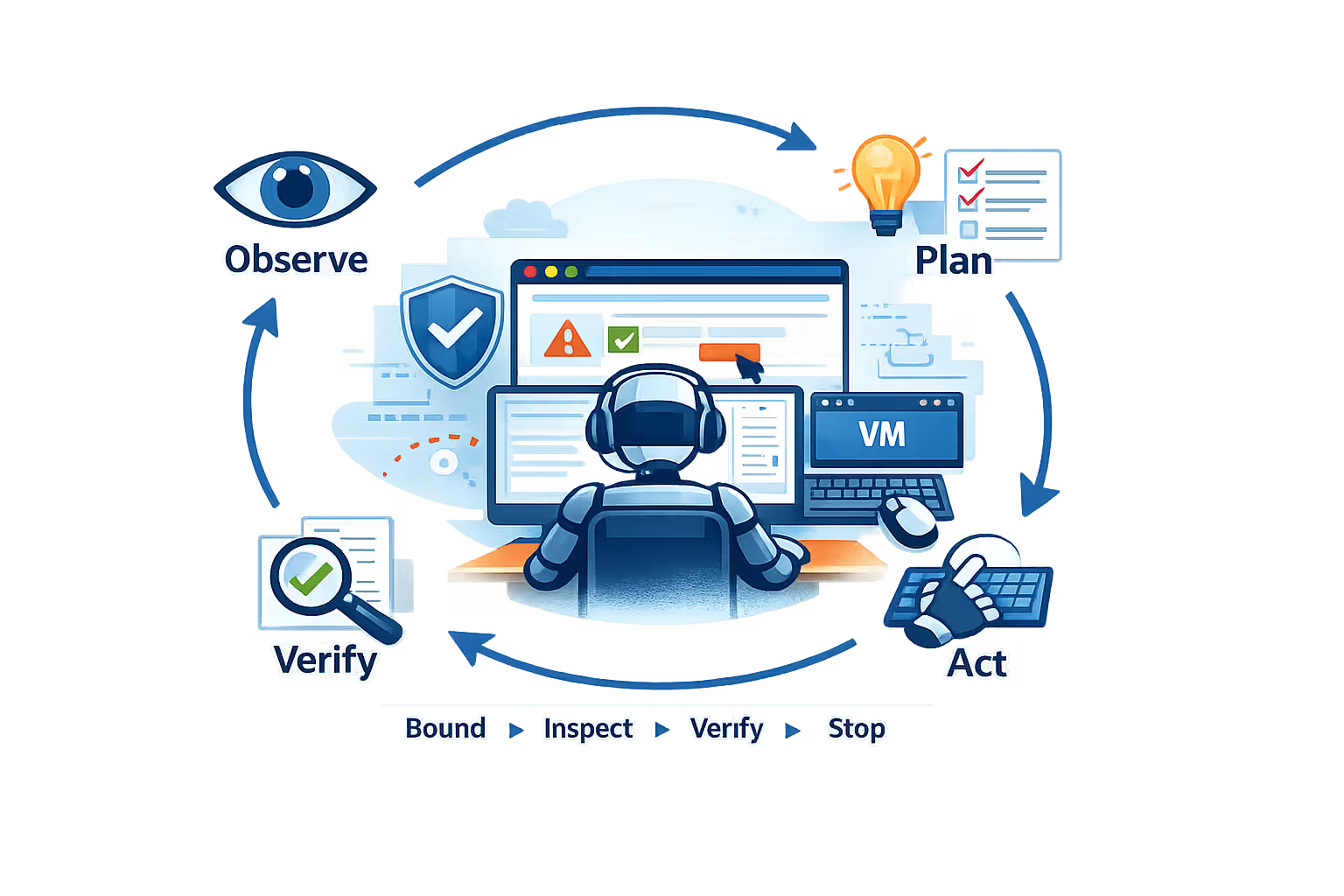
The loop: observe → plan → act → verify
Computer-use agents look deceptively simple:
- look at screen
- decide next action
- click/type
- repeat until done
The production reality is: you need control points.
Because “act” is not safe unless you can also:
- bound the blast radius
- inspect intent
- verify outcomes
- stop safely
You have a liability.
Architecture: treat the UI as a privileged device
Here’s the design lens that scales:
The model is not allowed to touch the UI directly.
It must request actions through a UI Action Gateway.
That gateway is where you enforce:
- isolation (sandbox/VM)
- policy (allow/deny)
- budgets (rate limits/timeouts)
- verification (checkpoints)
- audit (logging + replay)
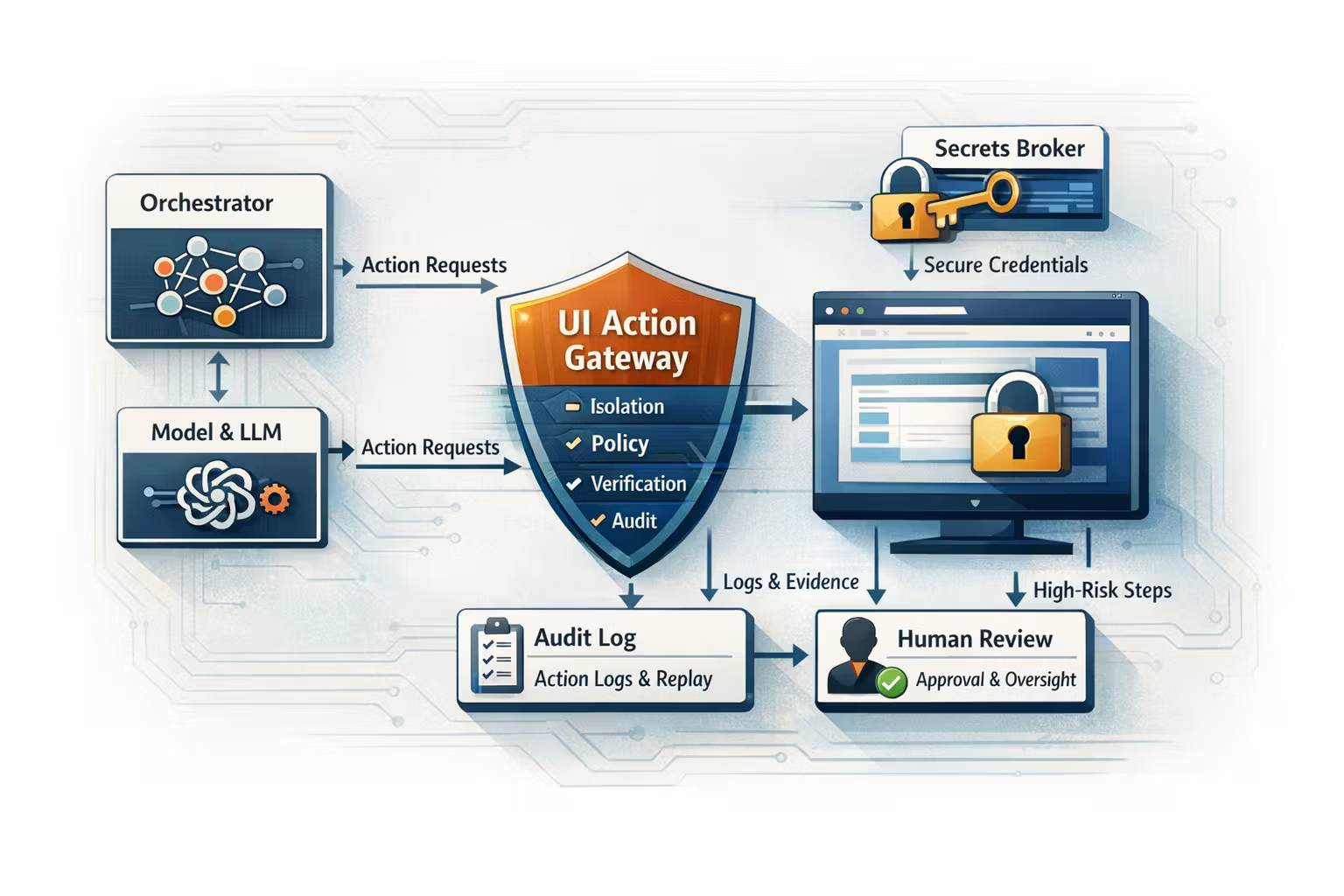
A minimal reference architecture:
- Orchestrator: runs the workflow, owns retries/timeouts/state
- Model Runtime: proposes actions (never executes them)
- UI Action Gateway: validates + records + gates actions
- Sandbox Runner: browser container or VM that executes the actions
- Secrets Broker: injects credentials safely (scoped + short-lived)
- Audit Store: immutable action log + screenshots/video for replay
- Human Review UI (optional): approvals for high-risk steps
Sandbox options: container vs VM vs “real desktop”
Not all sandboxes are equal. The right choice depends on what you’re automating.
Best for: web apps, structured navigation, low-risk tasks
How it works: run Chromium in a container (Playwright/Selenium), optionally expose VNC for debugging.
Pros
- low cost, fast startup
- easy to scale horizontally
- deterministic-ish for many workflows
Cons
- “desktop” workflows won’t fit
- browser escape risk is real if you allow downloads/exec
- some sites detect automation
Controls to add
- egress allowlist (DNS + IP), block unknown domains
- file download quarantine
- strict cookie/session isolation per run
Best for: higher-risk web automation, multi-tenant systems
How it works: the agent drives a browser inside a microVM with hardened isolation.
Pros
- much stronger tenant isolation than containers
- snapshot/restore for clean starting states
- safer for running unknown pages
Cons
- more infra complexity
- debugging is harder than “just a container”
Controls to add
- immutable base image + ephemeral overlay disk
- network policy at hypervisor boundary
- capability-limited guest (no privileged syscalls)
Best for: desktop apps, legacy workflows, “human UI” systems
How it works: each session gets a VM (Windows/Linux) with a remote desktop surface. Agent actions are mouse/keyboard events.
Pros
- highest compatibility
- mirrors what a real user can do
Cons
- expensive (startup, compute, GPU needs sometimes)
- hardest to make deterministic
- biggest surface area for data leakage if misconfigured
Controls to add
- snapshot-on-start, destroy-on-finish
- restrict clipboard, printing, USB, file mounts
- strict egress controls and internal DNS policy
UI-action safety: build an “action firewall”
In API tool use, the “tool” enforces invariants.
In UI automation, the tool is the mouse.
So you need a layer that acts like a firewall:
- it checks every proposed action
- blocks forbidden actions
- requires confirmation for risky steps
- enforces step/time budgets
- records evidence for audit/replay
1) Define action primitives (make them inspectable)
Don’t accept free-form “do the thing” commands.
Accept typed, inspectable primitives:
click(selector | coordinates)type(text, target)scroll(amount)navigate(url)wait(condition, timeout)download(file)copy/paste(often disabled)
2) Add a risk model (low/medium/high)
UI steps are not equal.
A simple risk model pays for itself:
- Low risk: read-only navigation, search, open page, copy a public snippet
- Medium risk: edits in drafts, create tickets, upload to staging
- High risk: money movement, delete/terminate, approvals, publishing, admin settings
Then enforce:
- low-risk → auto
- medium-risk → verify checkpoint
- high-risk → human approval or multi-signal verification
A practical rule
If the step is hard to undo, make it hard to do.
Verification is not optional (and it’s not “asking the model twice”)
The common failure mode is:
- the agent clicks
- the UI changes
- the agent assumes success
- you discover later it didn’t happen (or it did something else)
Verification means checking observable outcomes with explicit criteria.
Examples of verification signals:
- DOM element present (“Success”, “Ticket #12345 created”)
- URL / route changed to expected target
- form field values match expected
- server-side confirmation via API (best when available)
- screenshot diff against expected template (careful, brittle)
- UI signal (what the agent sees)
- system-of-record signal (API / DB / webhook)
- audit evidence (screenshots/video/log)
Session state that doesn’t leak
Computer-use agents are stateful by nature:
- cookies
- local storage
- downloaded files
- cached pages
- clipboard content
- “recent documents”
- auto-filled credentials
If you’re multi-tenant, state is a data leak vector.
Design rules:
- every run is ephemeral (destroy the sandbox after completion)
- no shared browser profiles
- no shared OS user accounts
- no persistent disk without explicit intent
- no cross-run cache reuse unless it’s content-addressed and scrubbed
Secrets: the agent must not “know” credentials
The clean pattern:
- the model never sees secrets
- the sandbox runner never stores secrets
- secrets are injected just-in-time and scoped
A solid approach:
- short-lived tokens
- per-run identity
- least-privilege role (task-specific)
- step-up auth for risky operations
- automatic revocation on timeout/failure
- “service accounts” with limited scope
- pre-approved OAuth flows
- dedicated tenant-specific credentials (never shared)
Operational controls: make failure boring
Production means:
- flaky websites
- slow pages
- random 2FA prompts
- different layouts
- timeouts
Your goal is not to make failure impossible.
Your goal is to make failure containable and recoverable.
Bound the run
- hard timeout (wall clock)
- step budget (max actions)
- per-step timeout (no infinite waits)
Make actions replayable
- log every action + parameters
- store screenshots before/after
- record video in the sandbox (optional but powerful)
Add safe stop
- user can cancel
- system can cancel on policy violation
- cancellation leaves the sandbox in a “frozen + inspectable” state
Retry with discipline
- retry only idempotent steps automatically
- for non-idempotent steps, retry only after verification or human confirmation
A pragmatic “shipping checklist”
Here’s the checklist I use when teams ask: “can we ship a computer-use agent?”
- One sandbox per run (container/microVM/VM)
- Destroy sandbox after run
- Egress network policy (allowlist)
- File download quarantine
- Disable clipboard / shared folders (unless necessary)
- Typed action schema (no free-form execution)
- Risk scoring per action
- High-risk actions require explicit approval
- Step budgets + timeouts
- Kill-switch on policy violation
- Every “important” step has a checkpoint
- UI signal + system-of-record signal where possible
- Failure routes to recovery path (retry, alternate, human review)
- Model is allowed to say “I’m not sure” and stop
- Immutable action log
- Screenshots before/after for each action
- Optional: video recording per run
- Redaction pipeline for PII in logs/media
- Replay tooling for debugging incidents
Resources
Playwright Documentation
A practical browser automation toolkit (great baseline for “web-only” computer-use agents).
Selenium WebDriver
The long-running standard for UI automation; useful when you need broad compatibility.
FAQ
For stable workflows, you should.
Computer-use agents are most valuable when:
- the UI changes often
- steps require interpretation
- the workflow is long-tail (many variants)
- you can’t justify building deterministic automation for every case
But the moment you add an LLM, you must add the safety architecture.
Not automatically.
A badly configured VM can leak more than a hardened container. The correct question is:
Where is my isolation boundary, and can I enforce it consistently?
MicroVMs often land in the sweet spot: stronger isolation than containers, less overhead than full VMs.
Treat it as a boundary between automation and humans.
Common patterns:
- route the step to a human review UI
- use service accounts and OAuth flows instead of password login
- redesign the workflow to avoid “acting like a human” on consumer-grade authentication
If you’re trying to “beat” CAPTCHA automatically, you’re probably building the wrong product.
At minimum:
- action log (what, when, parameters)
- screenshots before and after each action
- final outcome summary + verification signals
Video is optional — but when something goes wrong, it saves hours.
What’s next
Computer-use agents make a promise:
“Give me a goal — I’ll operate the software for you.”
In production, that promise only holds if you can answer:
- what happened
- why it happened
- how to stop it
- how to prove it was safe
Next month, we move from “agent capability” to “agent governance”:
Agent Evals as CI
Because if your agents can click the world…
you need a test harness that can break them before users do.
Agent Evals as CI - From Prompt Tests to Scenario Harnesses and Red Teams
If your agent ships without tests, it’s not an agent — it’s a production incident with good marketing. This month is about turning “it seems fine” into eval gates you can run in CI.
Standards for the Agent Ecosystem: connectors, protocols, and MCP
Agents are becoming the new integration surface. This is how you go from bespoke tool wiring to an ecosystem: portable connectors, common protocols, and a practical standard called MCP.